Teach Your AI Your Way of Working.

Turn your team’s expertise, procedures, and best practices into skills your agents apply automatically, every time. Build once, reuse everywhere.

Blue gradient decorative element

How skills work.

Skills are the playbook. They tell the agent what to do, which tools to use and how to operate them — inside infrastructure that keeps every step safe.

Blue gradient decorative element

Create Your Own.

Two ways to turn your know-how into a skill — whichever fits how your team works.

// Prompt AI to package your skill

User: “Create a skill for drafting enterprise incident reports based on our internal SLA guidelines.”

AI Assistant: Generating SKILL.md specification…
✓ Created folder /skills/incident-report/
✓ Formatted metadata frontmatter
✓ Linked SLA guidelines context files

Try the skill-creator skill

Describe what you want, and Claude generates the folder structure, formats the SKILL.md file, and bundles your resources.

---
name: internal-comms
description: A set of resources to help write internal communications …
---

## When to use this skill
- Status reports
- Leadership updates
- Company newsletters
- Incident reports


## How to use this skill
1. Identify the communication type
2. Load the matching guideline file …

Write it yourself

Full control over the spec. Write a SKILL.md file by hand with plain Markdown instructions your agents follow exactly.
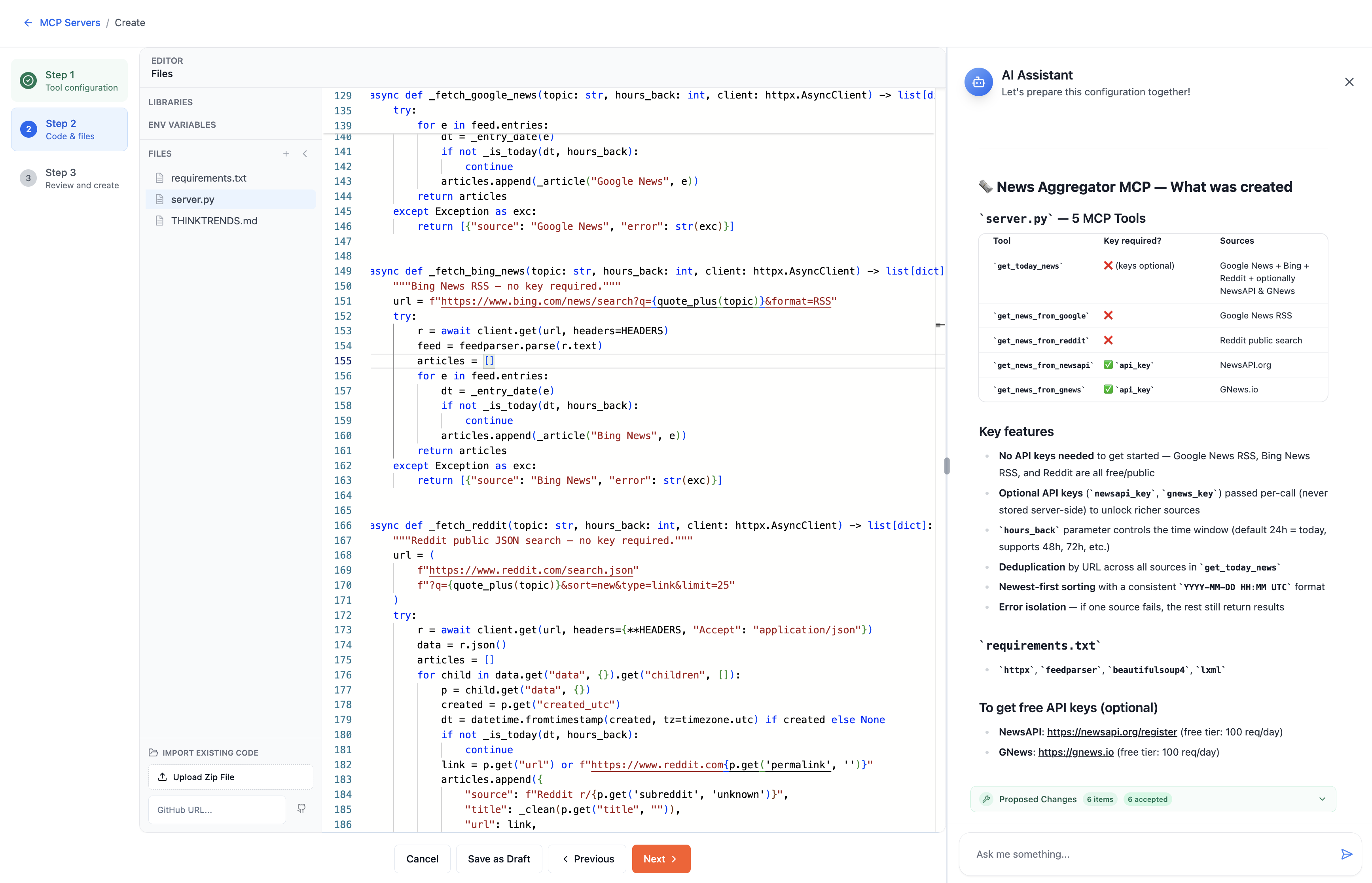
MCP Tool Builder
Build custom tools -- MCP creation environment
Blue gradient decorative element

Build Custom Tools for Anything.

Model Context Protocol gives organizations a standardized way to expose tools and capabilities to AI agents. Go beyond pre-built integrations — connect internal APIs, proprietary systems, databases, and specialized business logic.

Build once. Expose as a capability to any agent or workflow.

AI-assisted creation. Generate documentation, inspect implementations, improve definitions.

Test before deployment. Validate behavior against mock payloads before production.

Version control. Track, roll back, and branch independently across teams.

How Teams Use Skills.

Capture what your organization knows and how it works, then let every agent apply it automatically — no re-explaining, no starting from scratch.

Incident Report Drafting
A skill packages your SLA templates and tone guidelines; a connected tool pulls the ticket timeline straight from Jira.
Skill Jira tool
Recurring Reporting
A skill encodes your team’s analysis conventions; a custom MCP tool queries the warehouse and returns the numbers.
Skill Database tool
Customer Support Triage
A skill applies your escalation policy and reply tone; a CRM tool looks up the customer’s account and history.
Skill CRM tool
Code Review Standards
A skill checks diffs against your team’s style and security rules; a GitHub tool opens the PR and leaves comments.
Skill GitHub tool

One Shared Tool Registry. Zero Duplication.

Centralize capabilities. Decentralize usage. Build each integration once and share it across every agent and workflow in your organization.

✓Version every capability
✓Test before publishing
✓Roll back safely
✓Reuse across teams

Frequently Asked Questions

Common questions about Enterprise Skills & Tools.
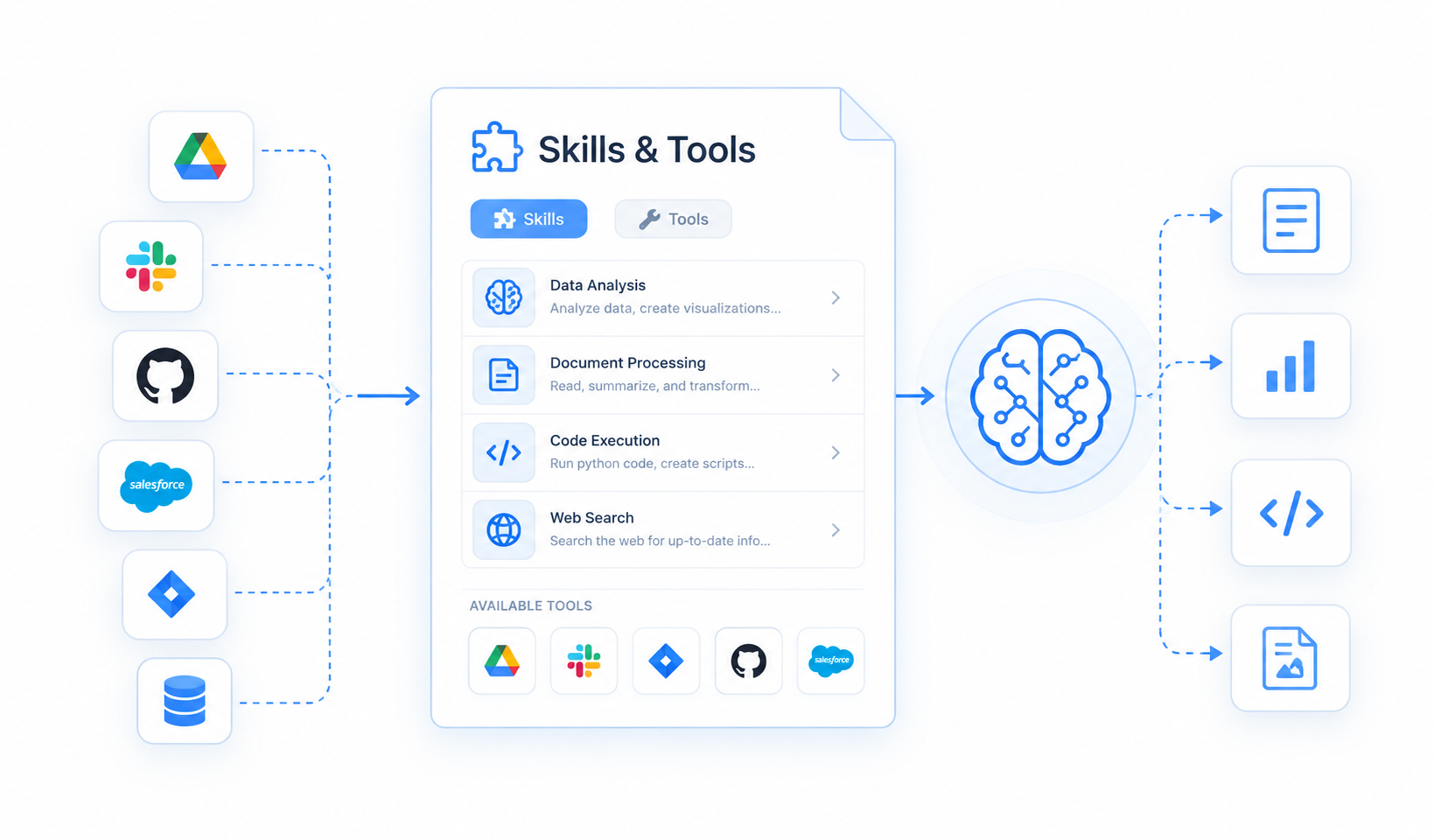
What's the difference between a tool, a knowledge base and a skill?+
Tools let an agent *do* things — send a Slack message, open a Jira issue, call an internal API. Knowledge bases let it *understand* your business, grounding it in your Drive, wikis, repos and policies. A skill packages tools, knowledge and business logic together into one reusable capability that any agent or workflow in your organization can use.
What if the system we need has no API?+
Two routes. Model Context Protocol lets you build a custom tool against an internal API, a proprietary system, a database or a piece of business logic, with AI assistance generating the definition and its documentation. For systems with no API at all, browser automation drives the interface directly — navigating, filling forms, scraping, exporting PDFs and executing JavaScript, headless, on Playwright.
How do we stop five teams building the same integration five times?+
A shared tool registry — centralized capability, decentralized usage. Each integration is built once and shared across every agent and workflow in the organization. Definitions are version-controlled, so teams can branch independently and roll back safely, and a bad change can be reverted without touching the agents that depend on it.
How do we know a tool works before it goes live?+
Tool behavior is validated against mock payloads before deployment, so it's checked without calling the real system. Definitions are version-controlled — tracked, branched per team, and rolled back when needed — and every capability is tested before it's published to the shared registry.