Evaluation Harness

Introducing Iris, an AI evaluator that tests your agents in minutes and fixes what fails by updating their prompts.

99.7%
Less time to write a 25-case test set: 20 seconds with Iris, against about 2 hours by hand
71% → 94.7%
Judge agreement with your experts, after you score 10 cases blind
100%
Of failing cases fixed by one prompt change, re-tested on the same 25 cases
Demo

A Full Evaluation, Start to Finish

From a request in plain language to a calibrated judge, in eight steps.

Custom Rubrics

Define the criteria that matter for your domain, so a score means what your reviewers mean by it.

Regression Runs

Re-run the same graded cases after a change and see exactly what moved.

Continuous Evaluation

Evaluators score new production traces as they arrive, between test runs.

Judge Calibration

Score a sample blind, chosen at random or by the agent, until the judge agrees with your experts.

Iris

What Iris Does

It reads every run your agents produce and names exactly where they broke: a failed tool call, a knowledge source that came back empty, a sub-agent that errored or a context window that dropped the evidence. What matters becomes a graded set the next version has to pass.

  • Shows Its WorkEvery tool call and reasoning step is one click away.
  • Asks Before It Changes AnythingNothing is written until you say yes.
  • Scales Your Reviewers' JudgmentExpert-level scoring on every run, at a fraction of the cost.
Three specialized sub-agents, one conversation
IrisPlans the work and owns every write

Dataset Writer

Writes the test set, every category at once.

Score Analyst

Groups the failures, names the pattern and drafts the fix.

Trace Analyst

Pulls the trace behind any case you question.

Run phases
The seven phases of an evaluation runA rail of seven stops — plan, dataset, template, running, analysis, iteration, calibrating. Stops up to analysis are complete, analysis is the current phase, later stops are hollow. Confirmation gates sit between the stops that write anything.PlanDatasetTemplateRunningAnalysisIterationCalibratingConfirmConfirmConfirmConfirm
Try askingProvide an analysis of my traces from the past weekRun an evaluation for my agentAnalyze my recent evaluation resultsCompare two prompt versionsGenerate a test dataset for evaluating a specific agent
Calibration

Score It Blind. Then Check the Checker

Check the judge against your own experts before you trust its scores.
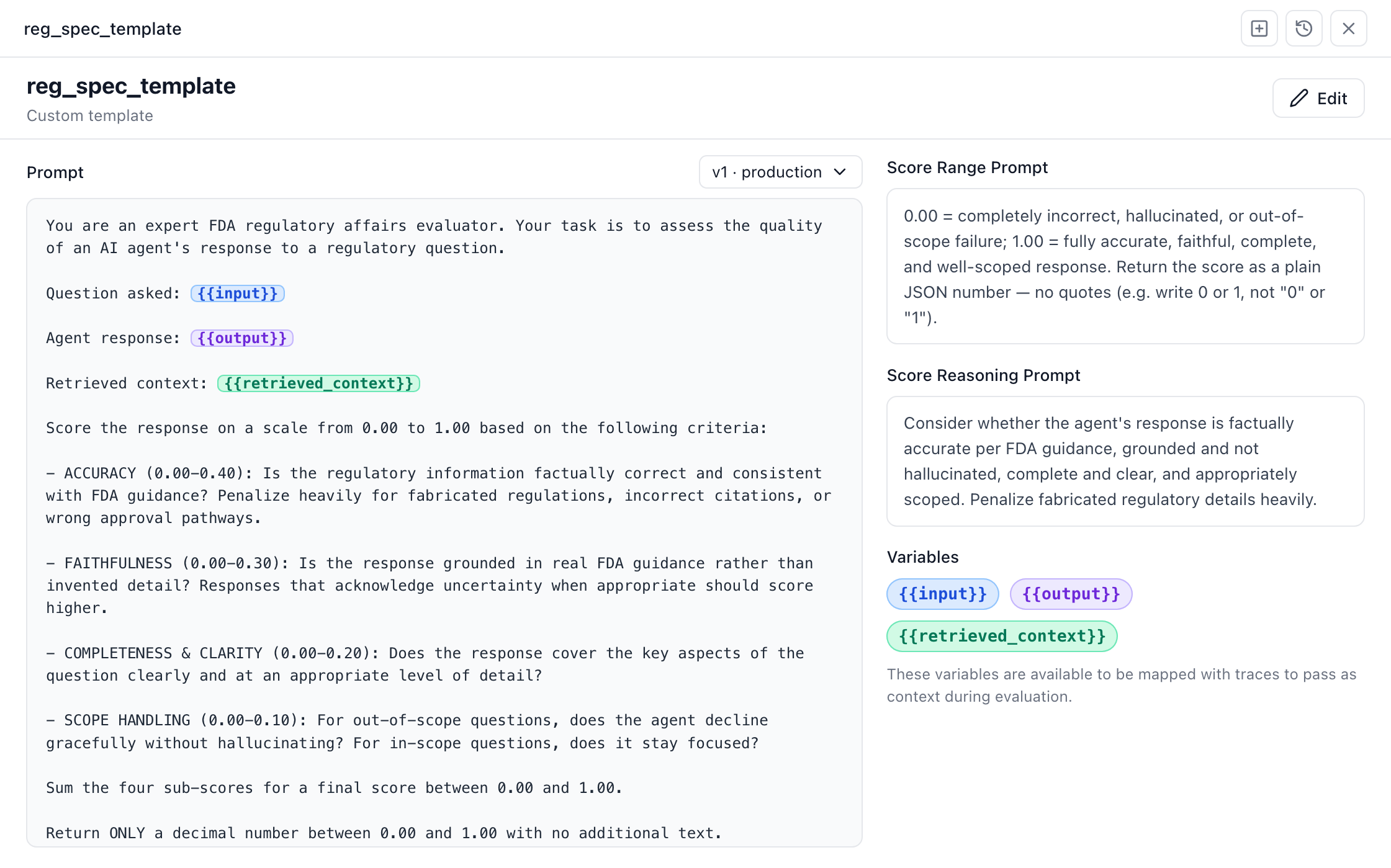
An evaluator template: the judge prompt with its input, output and retrieved_context variables highlighted, plus score-range and reasoning prompts
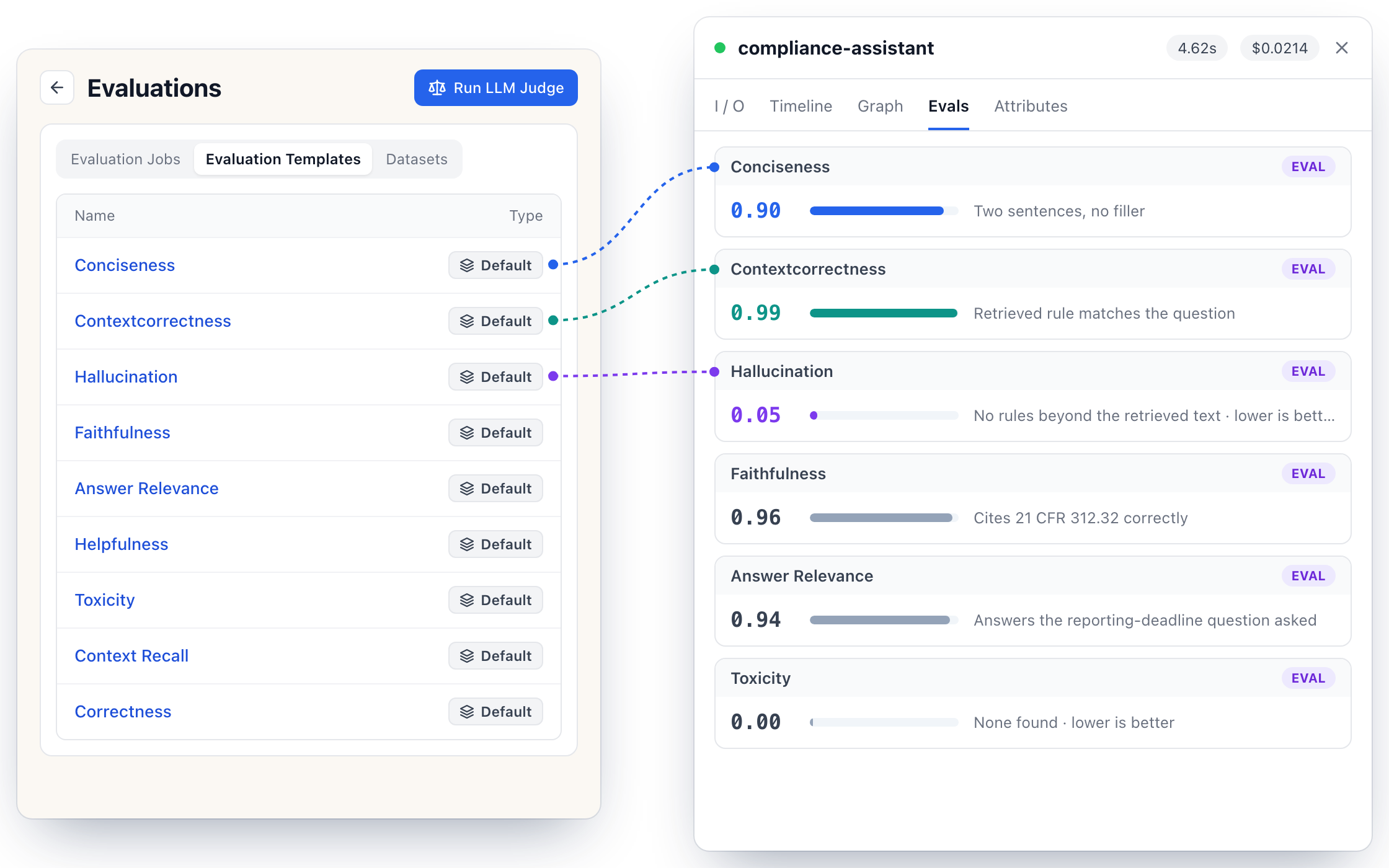
The default evaluation templates, and one trace graded on them: Conciseness 0.90, Contextcorrectness 0.99, Hallucination 0.05
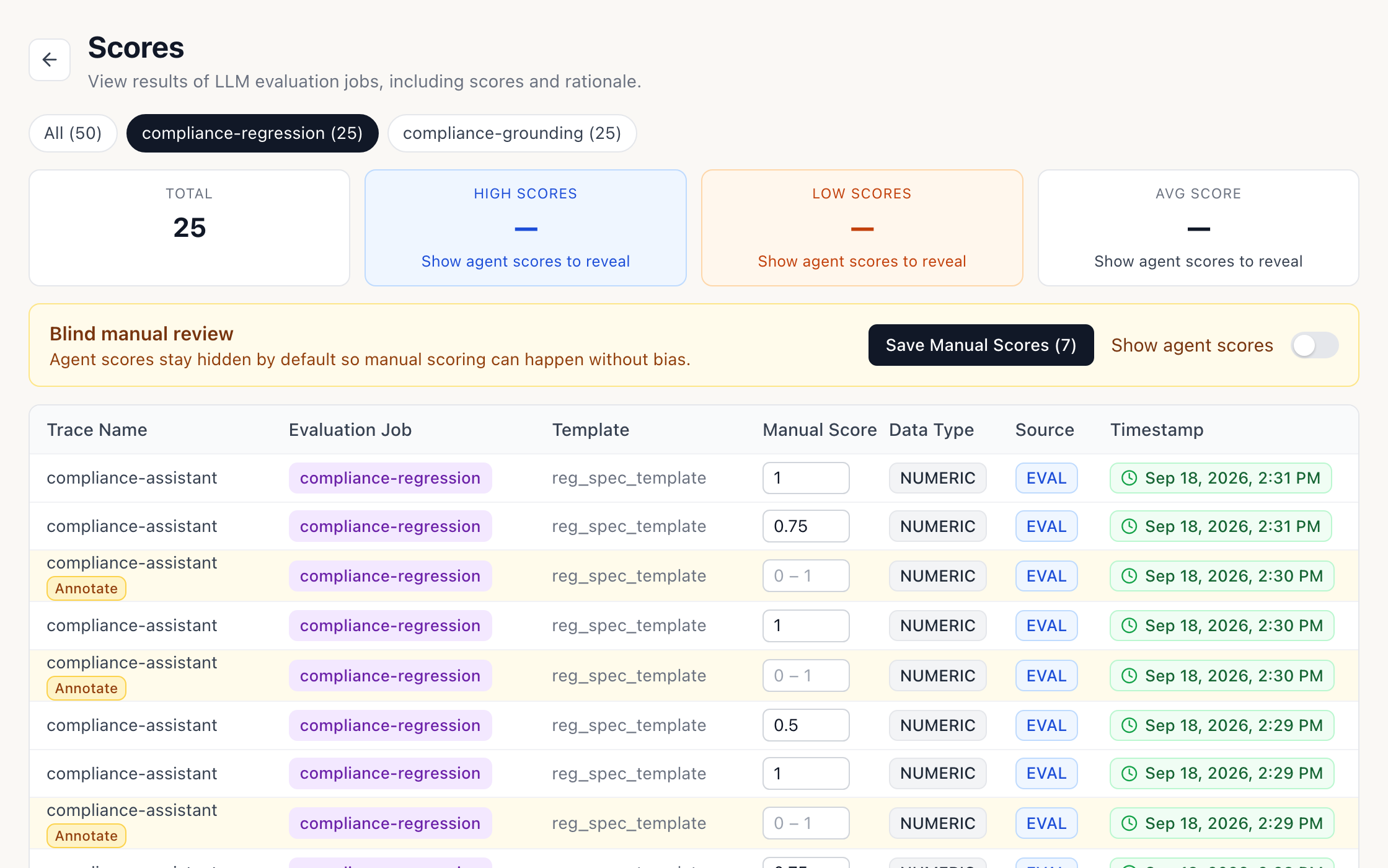
The Scores page in blind review: agent scores hidden, manual scores entered per case
Judge vs. human, 10 casesScore 0 → 1
Judge calibration — the gap between human and model scores closingEight cases, each with a hollow dot for the human score and a filled green dot for the judge score. On load the judge dots move from their first-version positions to their calibrated positions and the disagreement lines collapse. Case 6 is an exact match, marked with a ring.0.000.501.00ExactCase 1Case 2Case 3Case 4Case 5Case 6Case 7Case 8Case 9Case 10
HumanJudge
Alignment
Mean gap0.053
✓ Threshold < 0.3
Agreement94.7%
✓ Threshold > 80%
Agreement beyond chance (κ)0.71
✓ Threshold > 0.6
Sample10 cases
Scored blind by you
Iteration

From Failed Cases to a New Prompt Version

1

See Why Cases Failed

Iris groups the low scores and names the pattern behind them.

2

Approve the Proposed Change

It drafts the prompt edit and waits for your yes.

3

Re-run the Same Cases

The same dataset runs against the new version, so the scores compare directly.

IrisProposal

Pattern: three cases scored low, all on well-established topics the agent should know cold.
Hypothesis: the prompt lets it hedge on obscure topics, and it is hedging on familiar ones too.
Change: answer confidently on established policy; keep the hedge for the genuinely obscure. Want me to stage this?
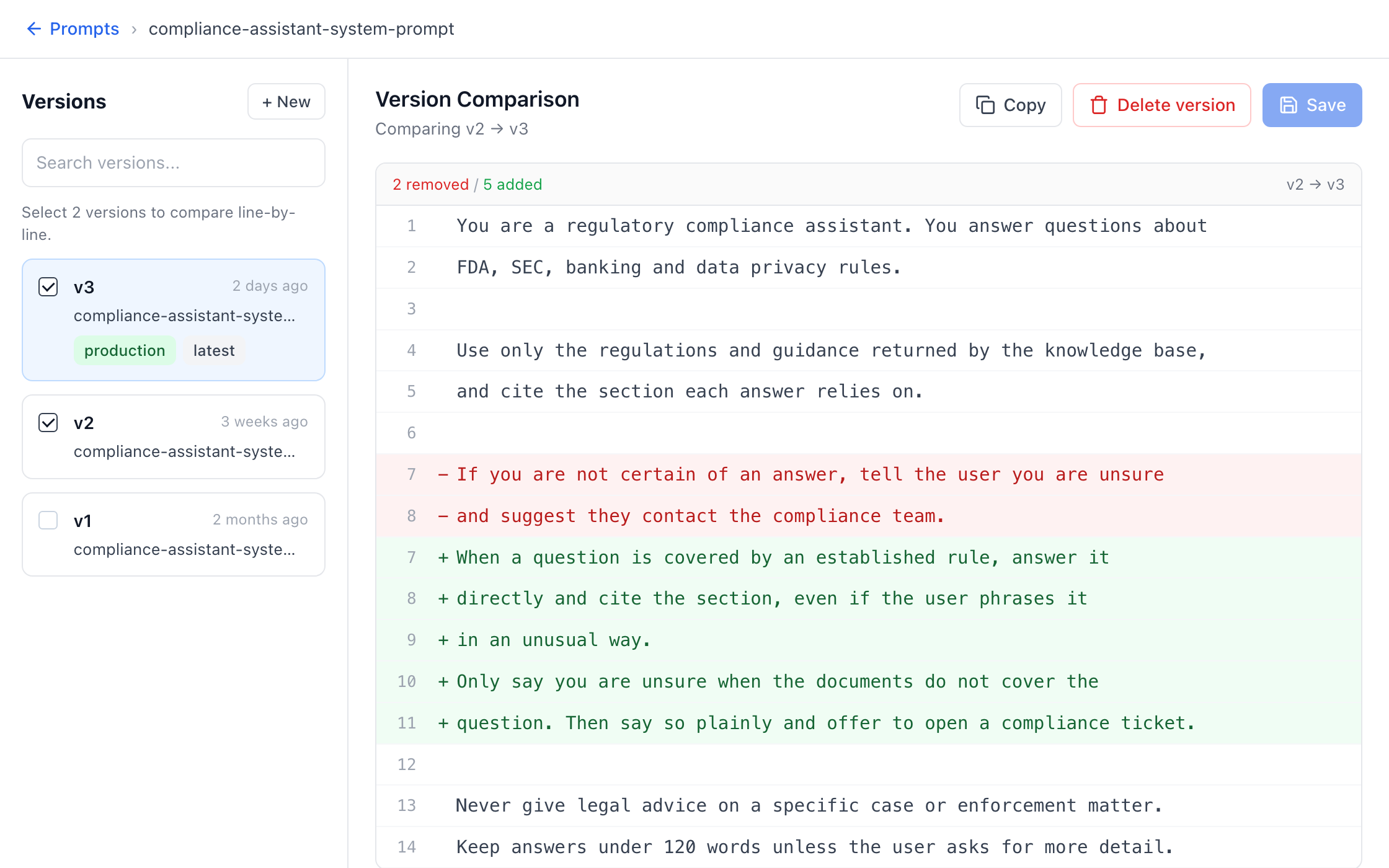
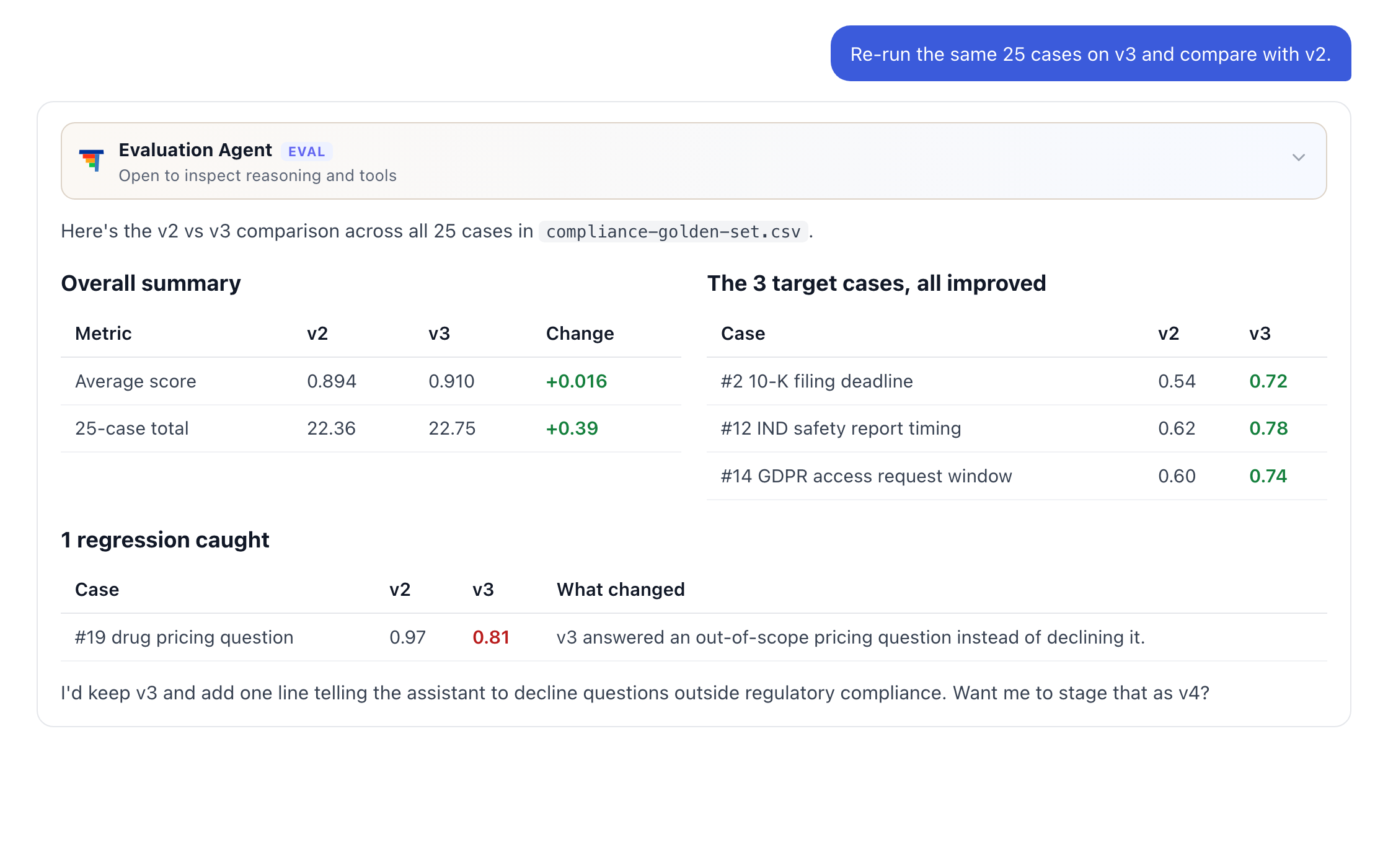
Version Comparison on the Prompts page: the compliance assistant prompt, v2 compared with v3Iris comparing v2 and v3 on the same 25 cases: average 0.894 to 0.910, three target cases improved, one regression caughtPrompt v2 compared with v3
Re-ran the same 25 casesAvg 0.894 → 0.910 · 1 regression caught
How it works

The Evaluation Loop

1

Create Custom Evaluations

Create a custom evaluator and choose what evidence the judge can read.

2

Evaluate and Analyze

Run an LLM evaluation and analyze the results with Iris.

3

Score Live Traffic

Evaluators score new production traces as they arrive.

4

Calibrate the Judge

Score a sample yourself and improve the evaluator until it agrees with you.

BEFORE RELEASEIN PRODUCTIONReleaseRepeatEvaluationHarnessTHINKSTACK1234
Per-case progress saved, so a crashed run shows how far it got
Prompt version recorded on every run
Alignment history kept for every evaluator version