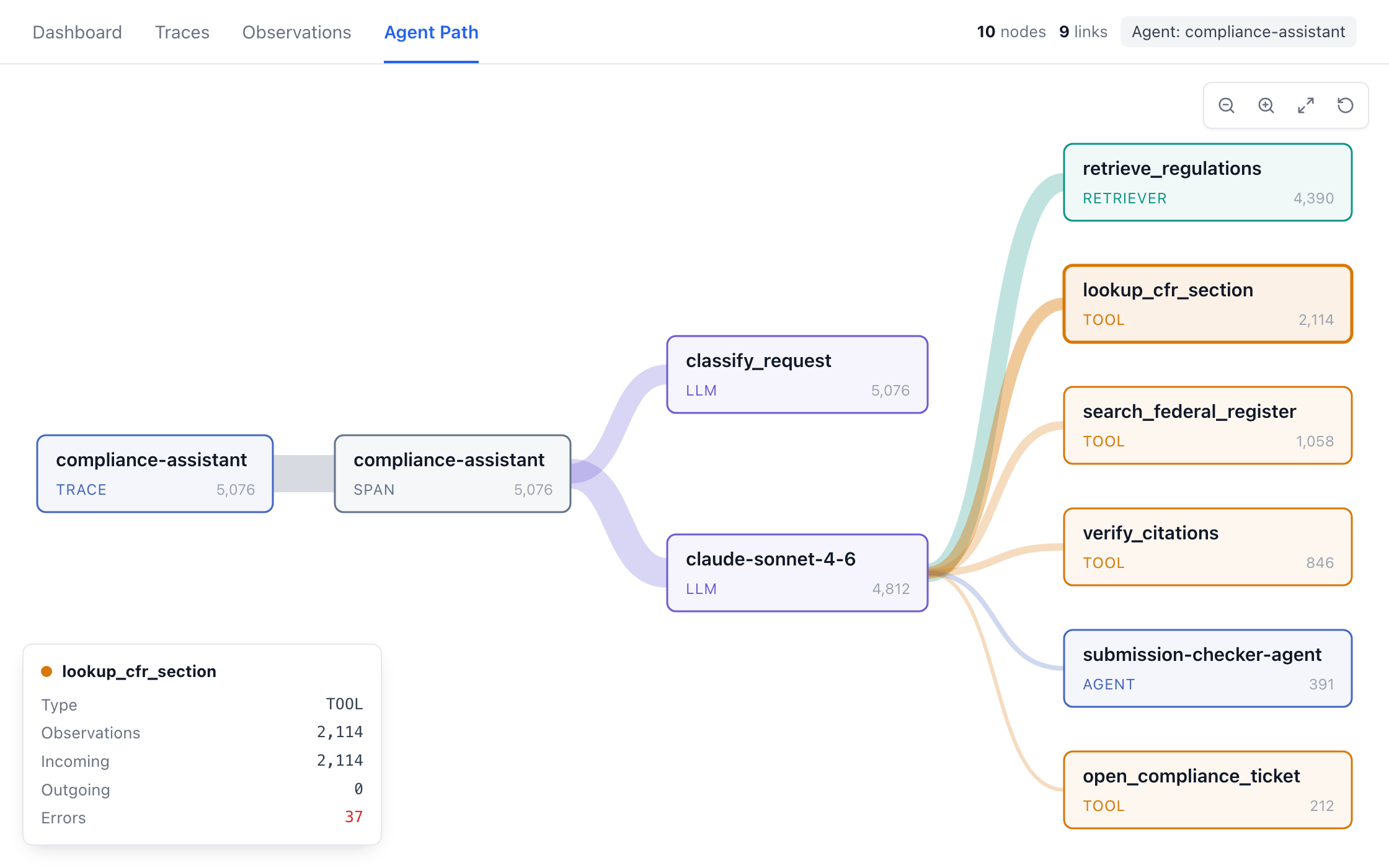
Debug a Failed Run
Open a trace, see the route it took and why it failed, then confirm the fix held.
Per-Action Traces
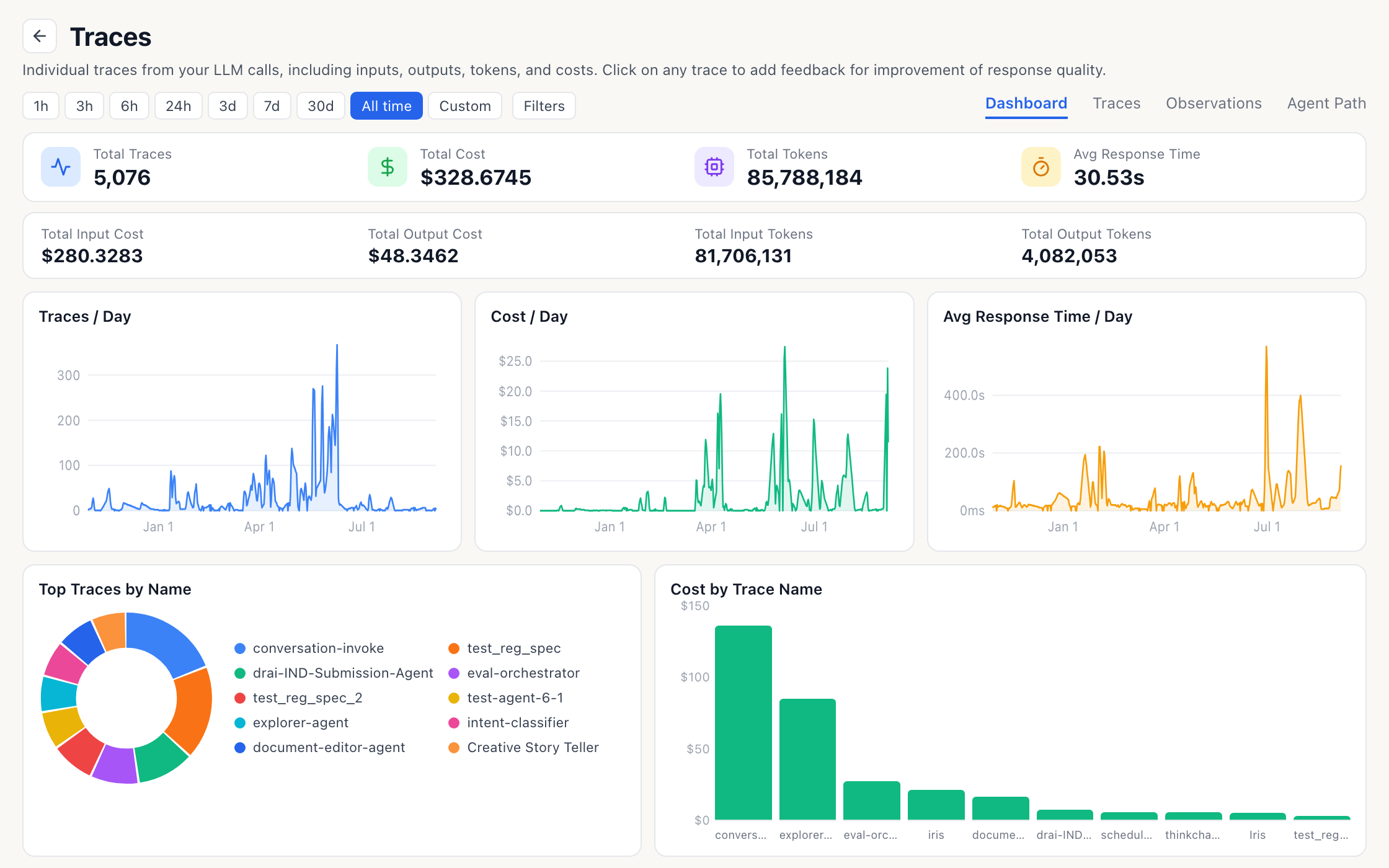
Every agent action is recorded with its tool calls, retrievals and model calls on one timeline.
Continuous Monitoring
Iris checks new production traces for you, so failures surface without anyone having to ask.
Chat Support
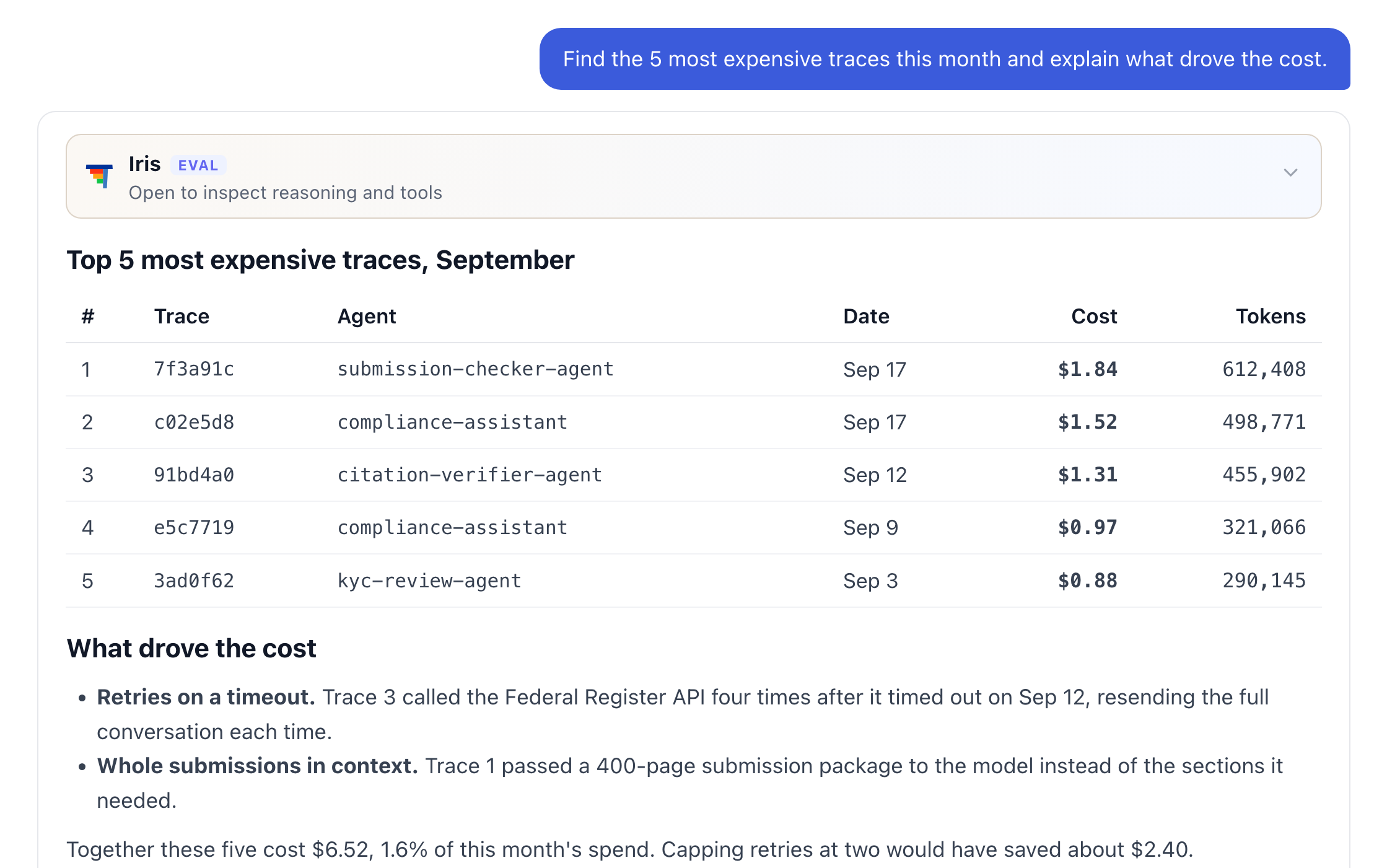
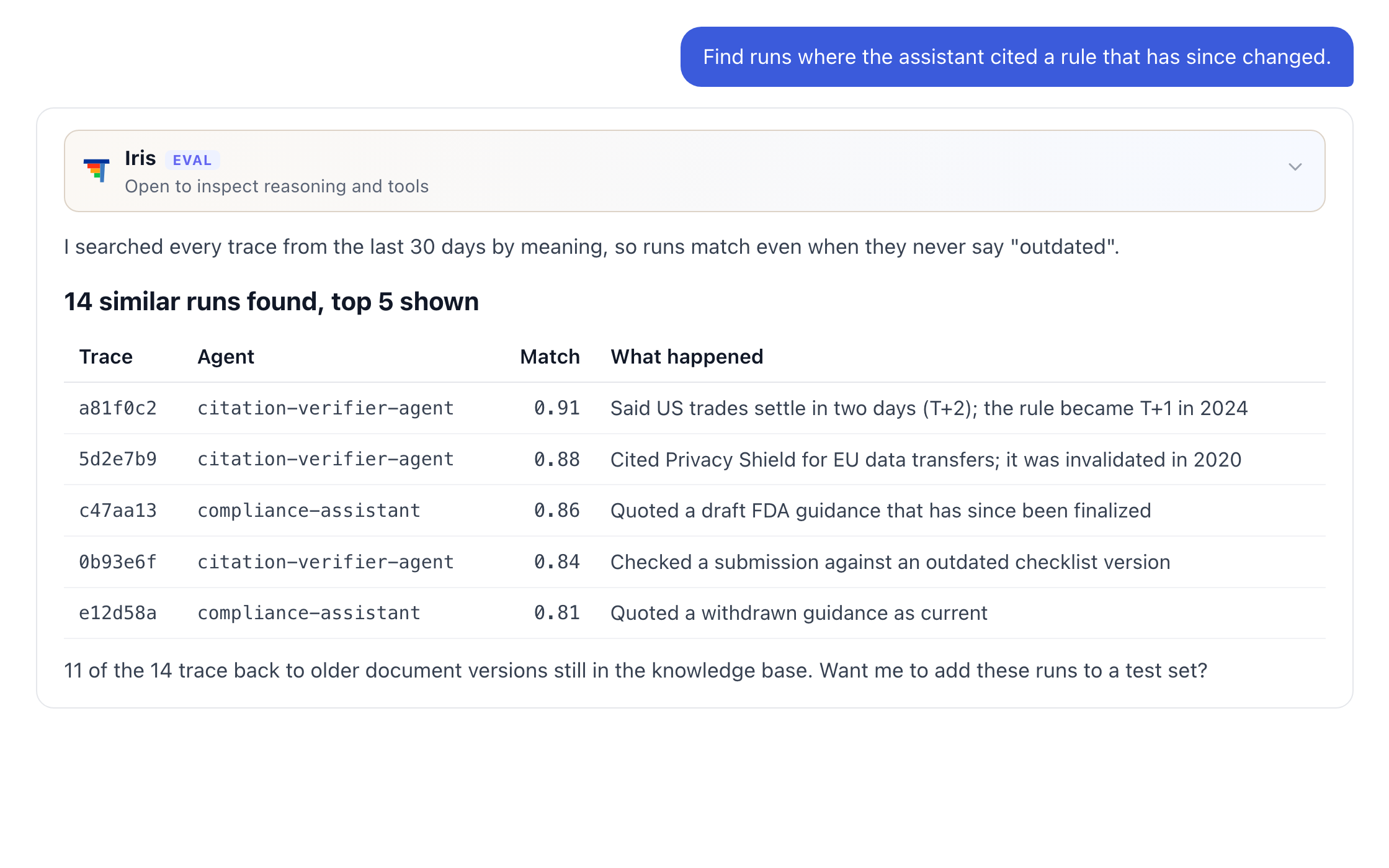
Ask which agents are failing or what drove last week's cost, and get the numbers back.
Detailed Metrics
Cost, tokens and latency by agent, model, prompt version or day.
The Number Nobody Had Looked Up
Every one of them returned an answer, so nobody noticed.
Errors in production agents are normal. Silent ones are the problem. Iris reads every trace, groups the errors by what actually went wrong, such as a denied permission, a knowledge base that was never attached or a sub-agent that failed, and takes you to the exact step where it happened. It tells you what to change, and the next run shows whether the fix held.
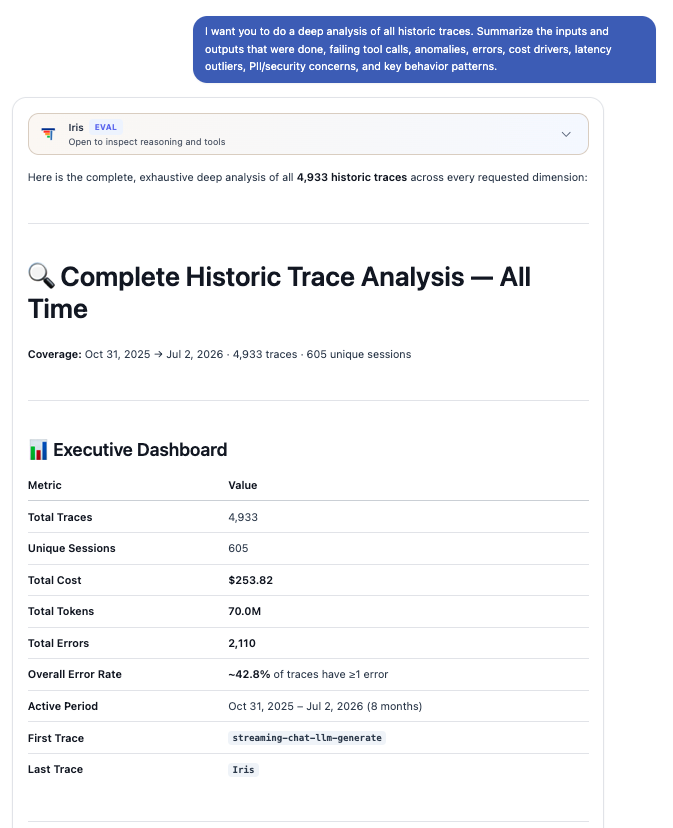
Continuous Monitoring
Iris reviews new production traces on a schedule, groups failures by root cause, and reports each one with a proposed fix.
Runs on a Schedule
New production traces are reviewed automatically, without anyone having to ask.
Groups Failures by Root Cause
Errors are sorted by what went wrong, per agent and per error type.
Proposes the Fix
Each group comes with the likely cause and what to change.
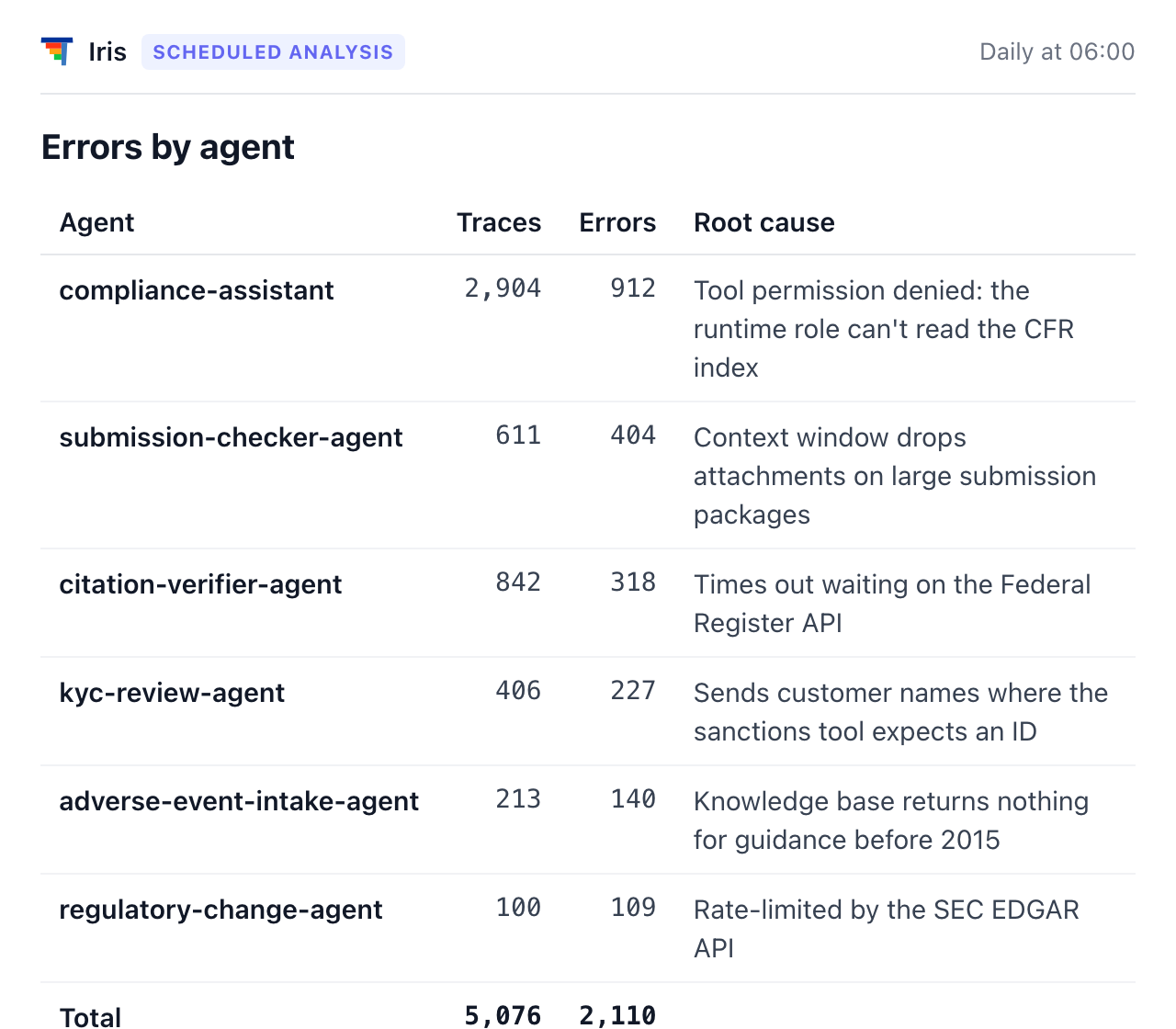
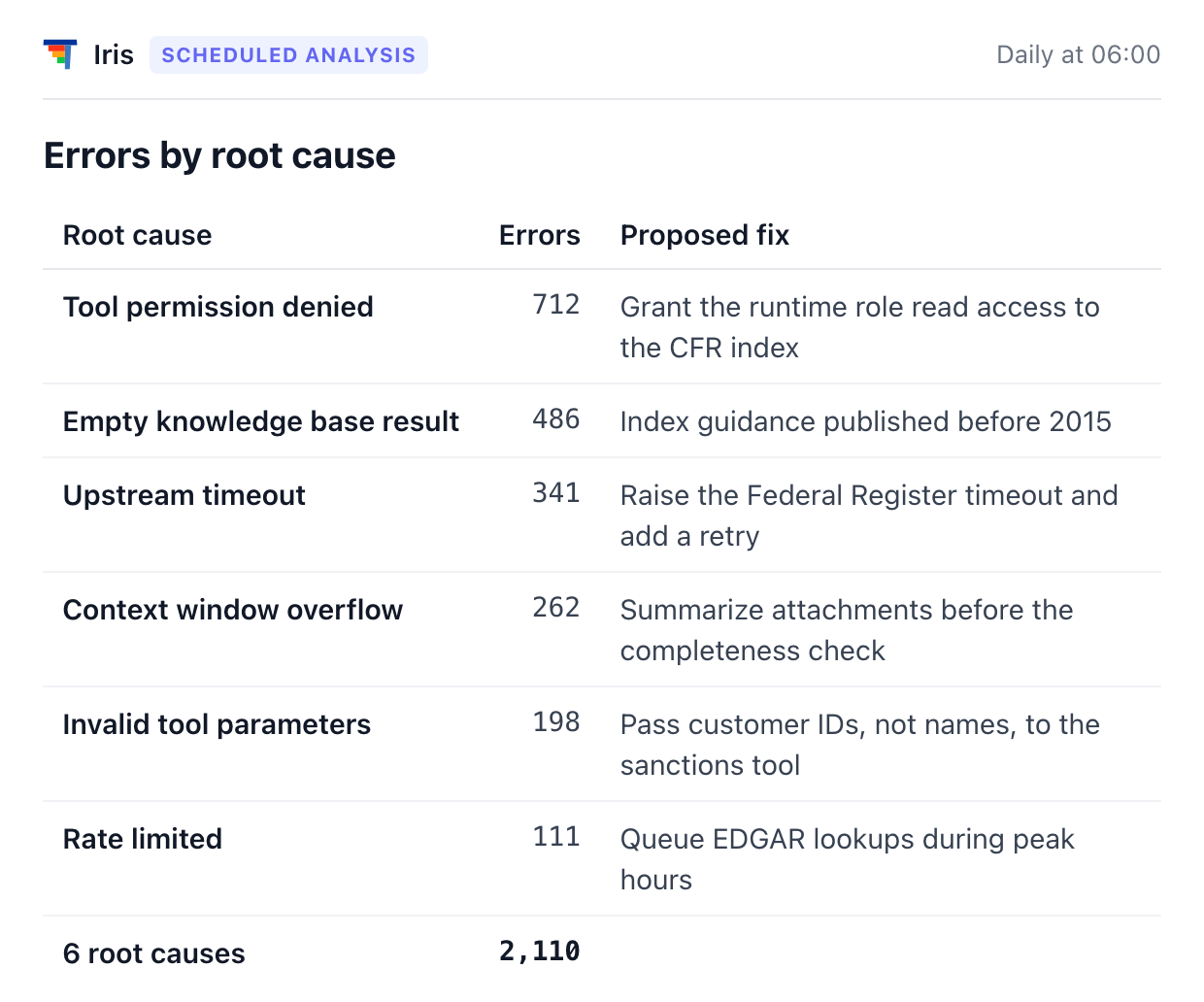
One scheduled analysis, by agent and by root cause
Conversational Assistance on Your Traces
Ask a question, search by meaning, or break cost down the way you need.
From Trace to Fix
Instrument
Every agent action on ThinkStack is tracked with cost, token usage and latency, out of the box.
Observe
Iris continuously monitors every trace in production for failures.
Evaluate
Iris groups the errors by what actually went wrong and names the root cause.
Enhance
Iris updates the agent's prompt, and the flagged runs become a test set that proves the fix before release.
& Tracing