The Vault Your Agents Run On.

The secrets manager built for AI agents. Store every API key, token and OAuth sign-in once. ThinkStack hands each request the credential it needs at run time, so your agents get to work while the values stay encrypted, masked and out of every prompt.

Store credentials for the apps your agents already use
Notion Stripe MongoDB Atlas ZoomInfo Slack GitHub Google Drive Gmail SharePoint Supabase Snowflake Salesforce HubSpot Jira Confluence PostgreSQL Any public MCP server
Demo

See a Secret Go to Work

A 60-second walkthrough in ThinkStack: connect Notion once, then wire the stored secret into a hosted MCP server tool. The credential is resolved on every request and stays masked the whole way.

Highlights

Why Teams Pick It

Never in a Prompt

Tools and agents use a secret by name; the value is injected per request and shown to no one.

Automatic Rotation

Managed provider credentials refresh on their own, so nothing goes stale in production.

Encrypted and Masked

Values live in AWS Secrets Manager, encrypted at rest and masked across the entire console.

Revoke in One Place

Cut access instantly and every attached tool, pipeline, and agent loses it at once.

In the Product

One Store, Every Kind of Secret

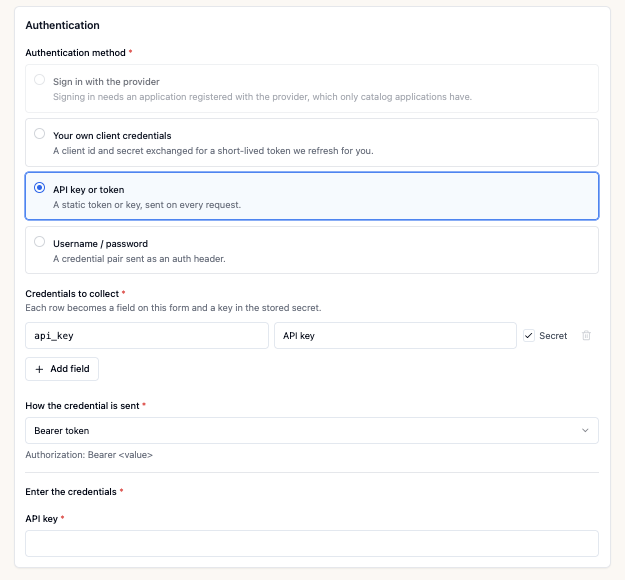
Key/value pairs, managed provider credentials, custom apps and public MCP servers, all encrypted at rest and masked everywhere.

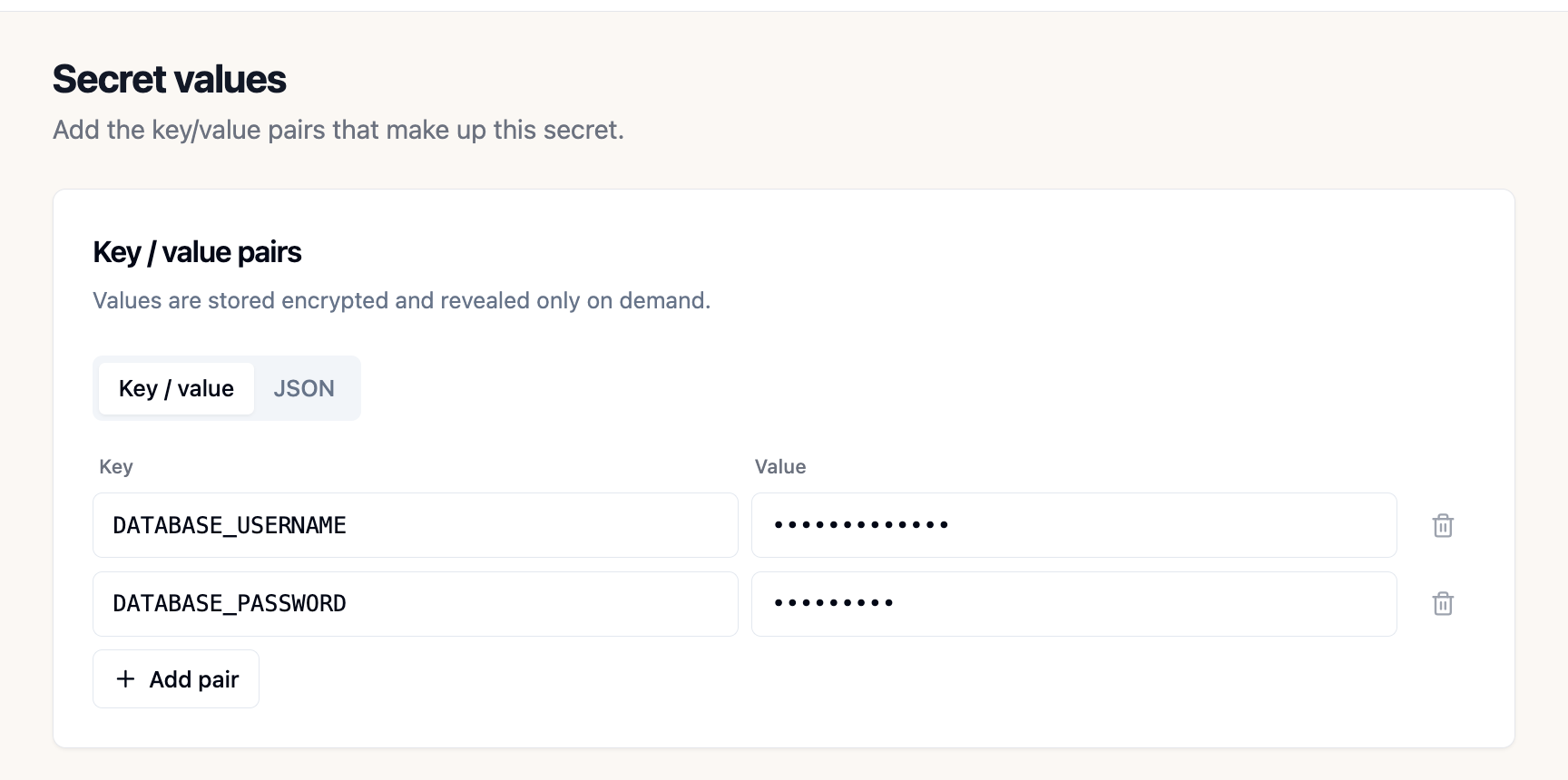
The Secret values step: key/value pairs DATABASE_USERNAME and DATABASE_PASSWORD with both values masked
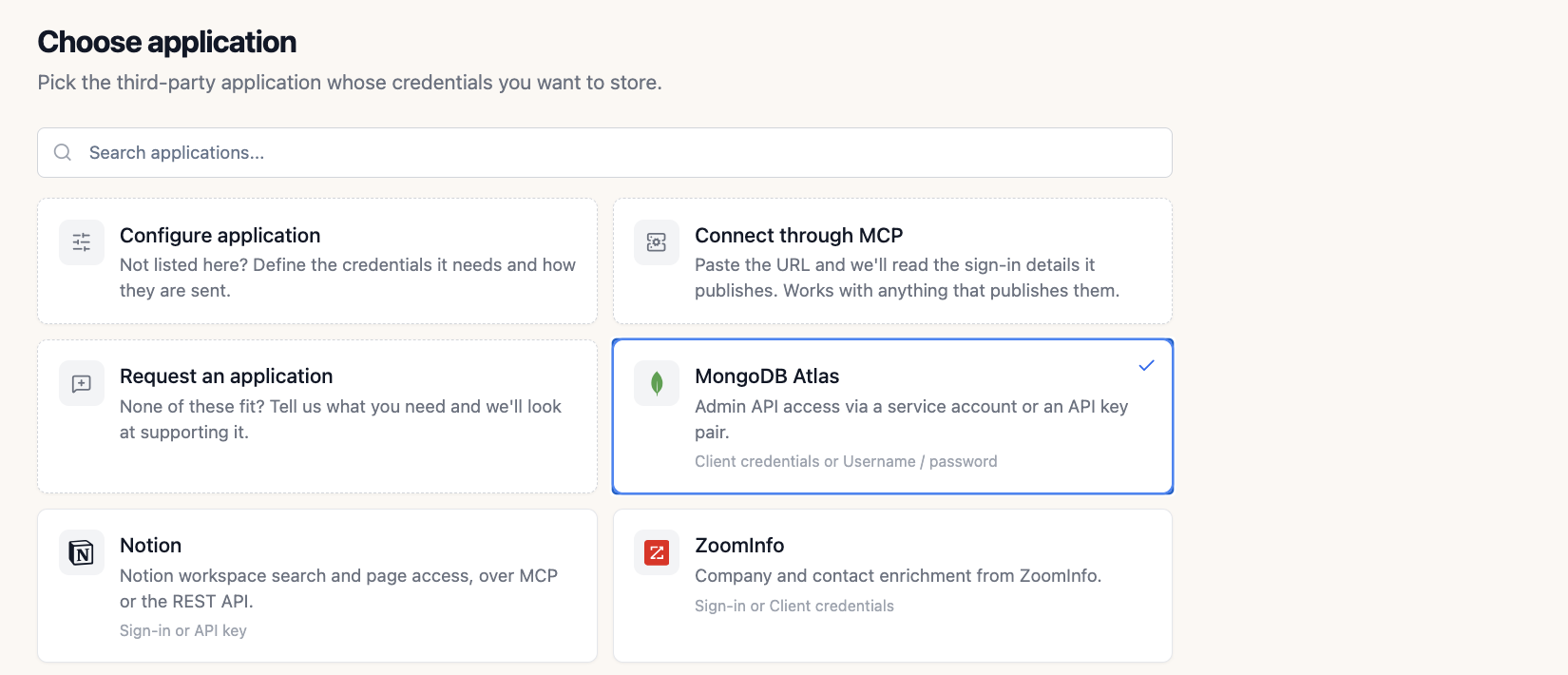
Choose application: the provider catalog with MongoDB Atlas, Notion, ZoomInfo, and other apps displayed with equal prominence
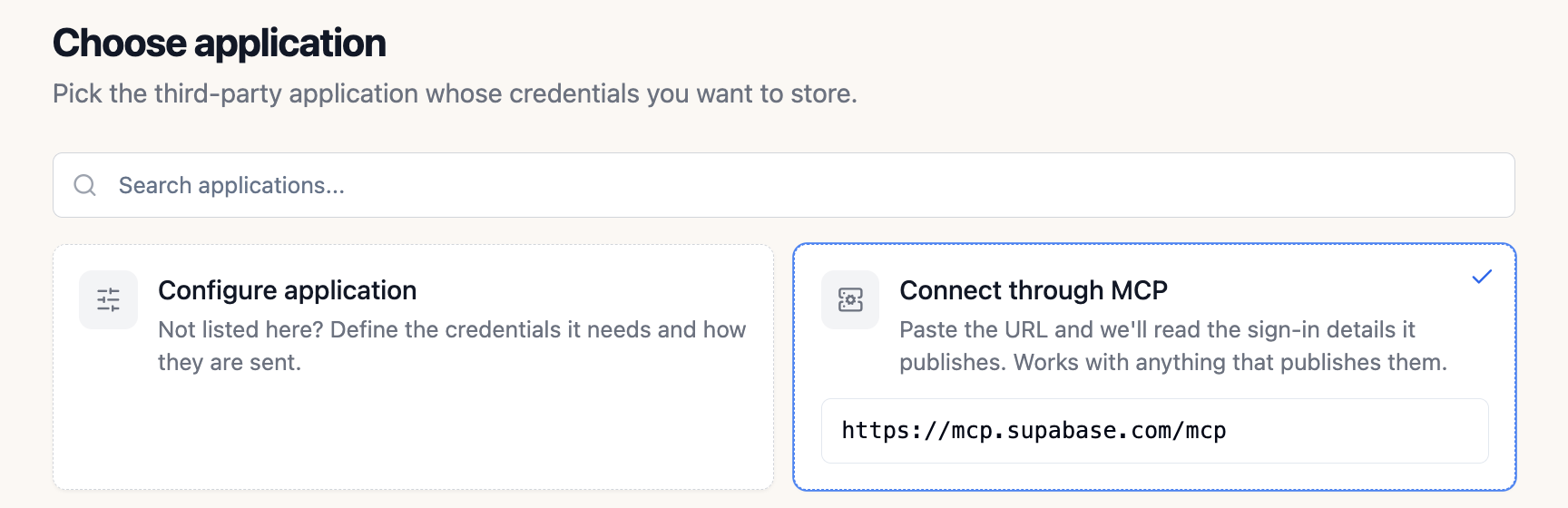
Connect through MCP: a public MCP server URL pasted into the card
1 · Paste the server URL
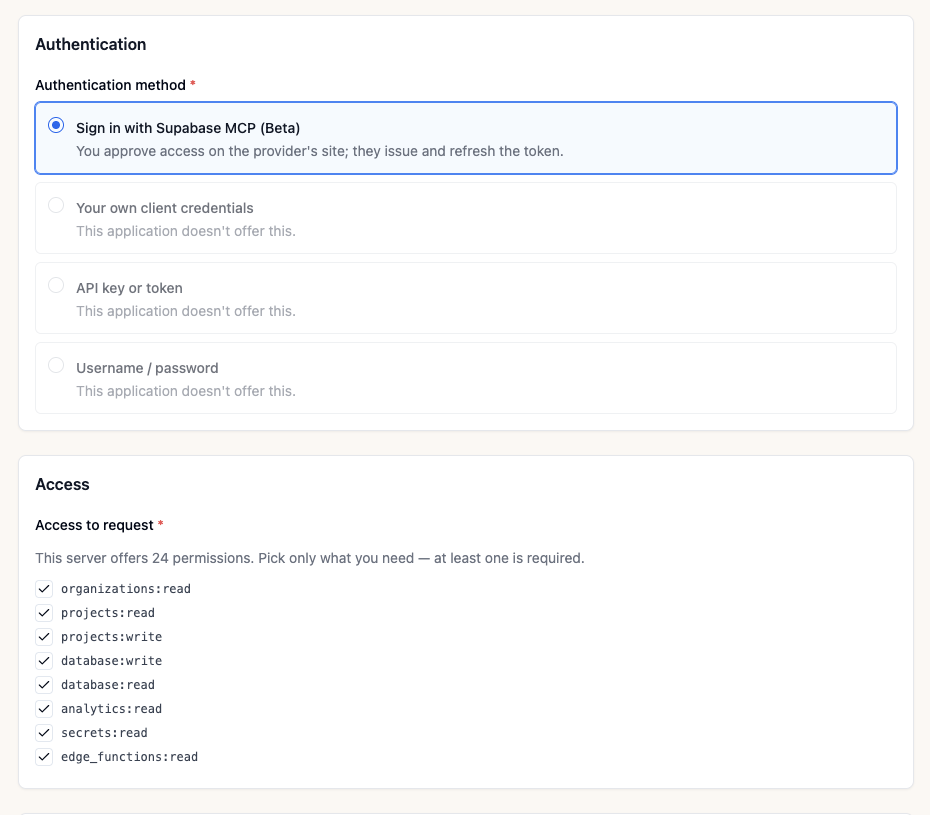
Authentication for a public MCP server: sign in with the provider, then pick the permissions to request
2 · Sign in & pick scopes
A custom application: choose the authentication method and the credential fields to collect
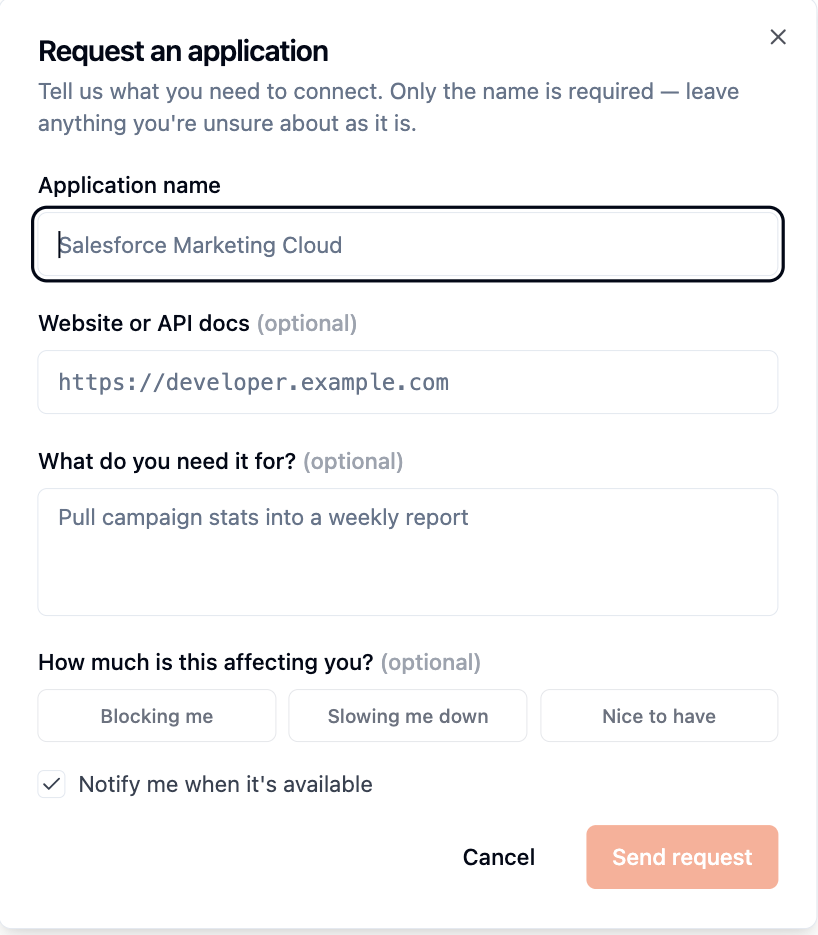
Request an application: a short form with the application name, its docs and what you need it for

Works Across Every Module

One stored secret, resolved by name the same way across every place an agent runs.

Back to Code Environments

coastal-flood-forecasting

Runtime for the coastal flood forecasting agent. Supports reading surge rasters (rasterio/xarray), spatial joins to county boundaries (geopandas), and charting 2035 flood scenarios (matplotlib).

ActiveCreated Oct 1, 2026
Base Imagepython
Packages
Python (pip)
xarrayrasteriogeopandasmatplotlibnumpyscipypyprojshapely
System (apt)
libgdal-devgdal-bin
Environment VariablesInjected into the sandbox at run time — read with os.getenv
NameValueSource
DATABASE_PASSWORDwarehouse-readonlyProvider credential
NOTION_TOKENNotionMCPDemoProvider credential
Resolved at run time, never baked into the image
Env vars

Agent Runtimes

Code environments read secrets as environment variables at run time. Attach a provider credential and ThinkStack injects it into the sandbox — never baked into the image or written to logs.

Agent Runtimes
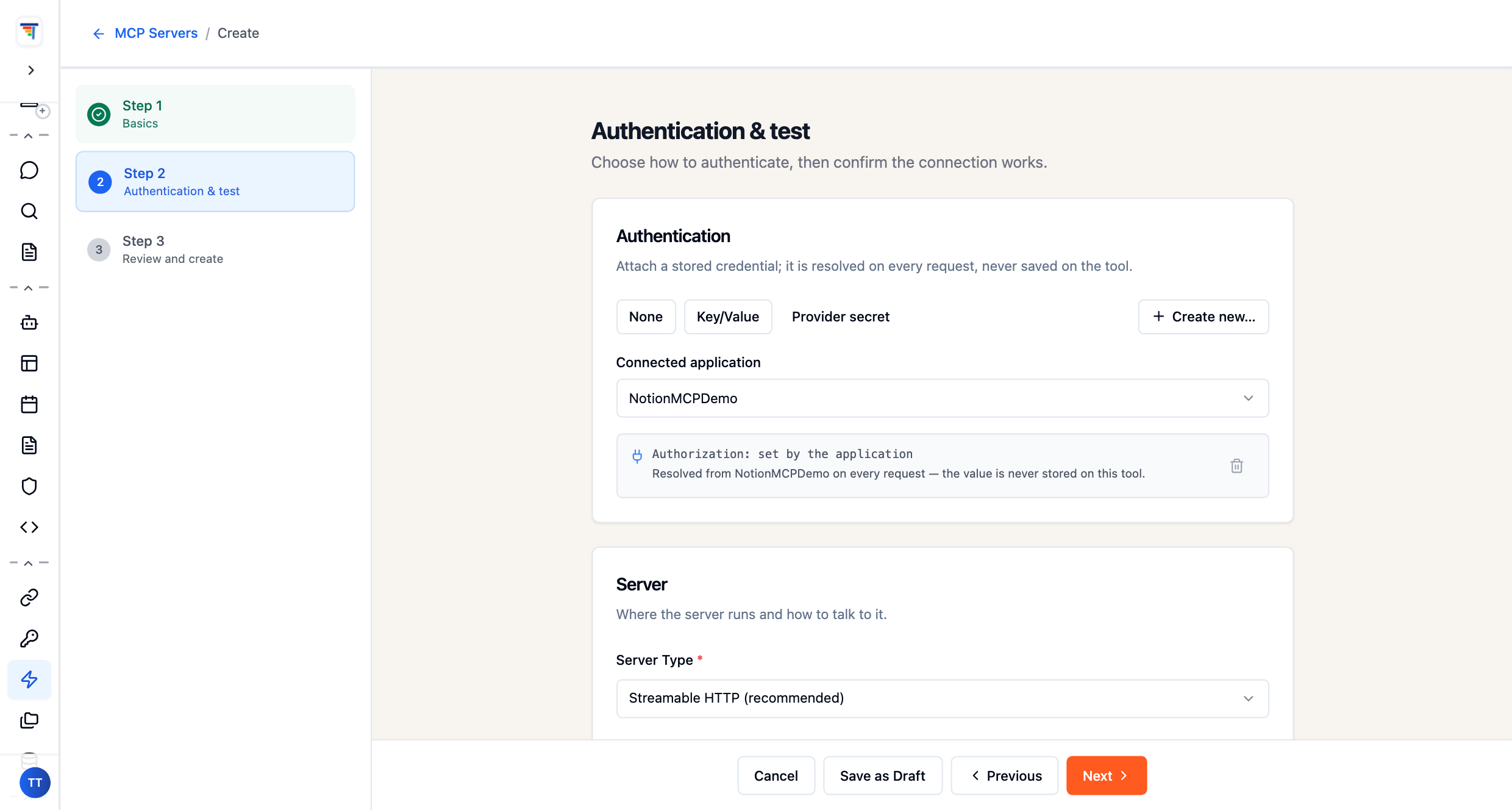
ThinkStack MCP server setup: a self-hosted tool authenticates with the stored NotionMCPDemo provider secret, resolved on every request
Per-call auth

Self-Hosted Tools

Your own MCP servers and internal APIs attach a stored provider credential. ThinkStack resolves and injects it on every request, and the value is never saved on the tool.

Hosted MCP Servers
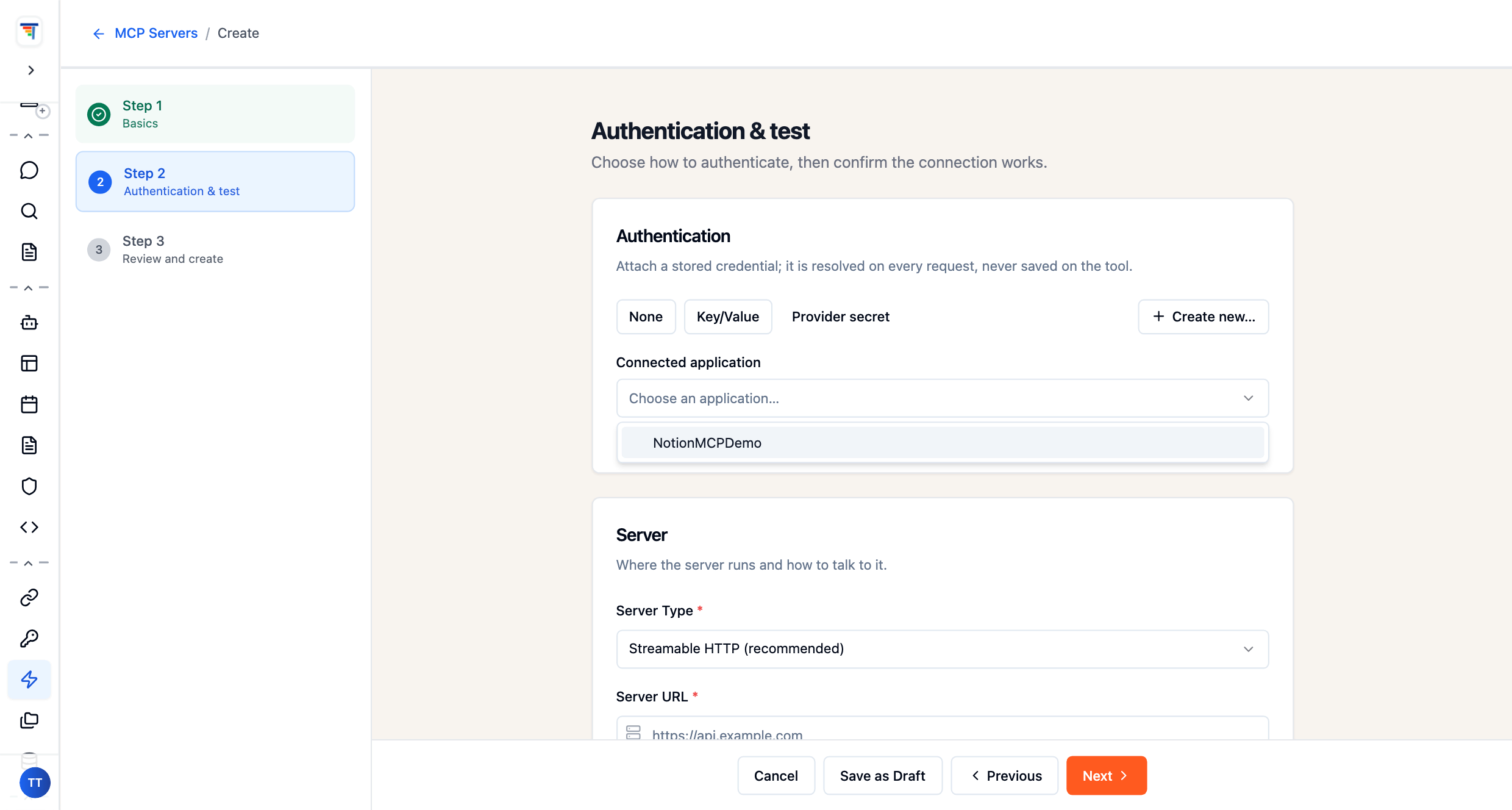
ThinkStack connected-application dropdown: pick a stored credential such as NotionMCPDemo to reuse across every agent
OAuth · scopes

Public MCP Servers

Connect a public MCP server once; its discovered sign-in and scopes are stored as a connected application and reused by every agent, with the token masked on every exchange.

Public MCP Servers
Back to Pipelines

warehouse-sync

Agentic ETL pipeline. Builds from your code, then pulls source credentials by name as environment variables when it runs — the same request-time pattern as hosted MCP tools.

ActiveLast run 2h ago
Base Imagepython:3.13-slim
Generated codeDockerfile · produced by the pipeline builder
FROM python:3.13-slim
WORKDIR /app
COPY requirements.txt .
RUN pip install --no-cache-dir -r requirements.txt
Environment VariablesAttached to the pipeline — injected when it runs
NameValueSource
WAREHOUSE_URLwarehouse-readonlyProvider credential
OPENAI_API_KEYOpenAIKeyProvider credential
Pulled by name at run time, never stored in code
Source creds · env vars

Pipelines

Agentic ETL pipelines build from your code, then pull source credentials by name as environment variables — the same request-time pattern used by self-hosted MCP tools and hosted MCP servers.

Agentic ETL Pipelines

Frequently Asked Questions

Common questions about Secrets Manager.

What stops a credential going stale?+
Managed provider credentials refresh on their own, and you set how long tokens live and when they rotate. Rotation is configured per secret alongside retention, so nothing depends on someone remembering to renew it before it expires in production. Credentials stored from the provider catalog carry this behaviour automatically.
How fast can we cut access?+
Instantly, from one place. Revoking a secret removes it from every attached tool, pipeline and agent at once, rather than requiring each integration to be updated separately. Every secret also carries its own audit trail and access controls, so you can see what used it before access was cut.
What if the system we need isn't in the catalog?+
Define it yourself. A custom application entry specifies exactly what credentials the app needs and how they're sent. For public MCP servers, pasting the server's URL reads the sign-in details it publishes, you grant only the scopes you need on the provider's own site, and a read-only check runs before anything is stored.
How do secrets reach the things that use them?+
Differently per surface, all by reference. Code environments read them as environment variables at run time, never baked into an image or written to logs. Self-hosted MCP servers and internal APIs authenticate with a referenced secret injected on every call. Pipelines pull source credentials by name, so connections stay live without exposing a value.