Your work.
Connected.
Bring your everyday apps and your own systems into ThinkStack. Give enterprise AI the context and tools to do useful work.
Bring your everyday apps and your own systems into ThinkStack. Give enterprise AI the context and tools to do useful work.

See the whole picture
Bring your systems in
Turn answers into action
Everyday apps and your own systems. Different routes, one connected workspace.
Explore the routes into your work
 Slack Native
  Jira Native
  Google Workspace Native
  GitHub Native route
  Notion MCP example
  Confluence MCP example
  SharePoint Coming soon ⌘Your own system Custom
Start with the apps your team already uses. See a specific question become a source-aware answer.
“What is blocking month-end close, and who owns each follow-up?”
Start with the apps already in your workflow. Have your own system? See how to connect it in three steps ↓
Bring your internal system into ThinkStack. In this fictional example, configure ACME internal API in three steps, then choose the separately available tool with Google Workspace and Slack in Chat.
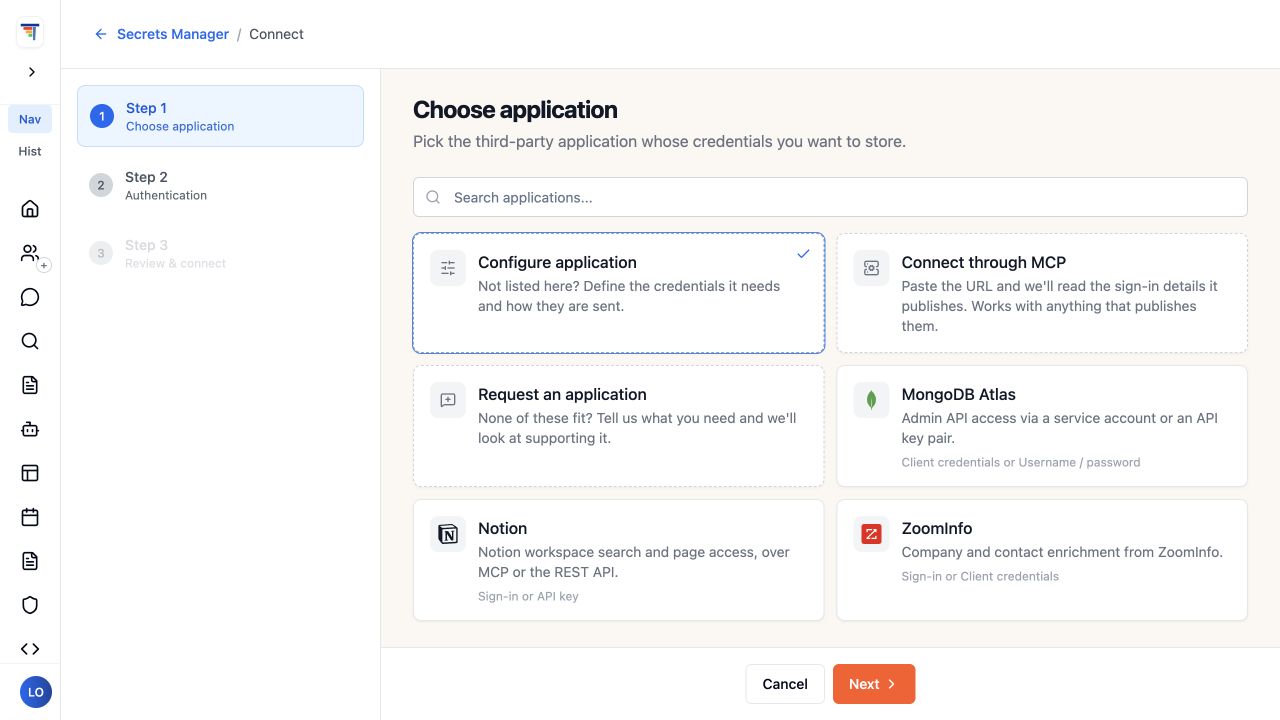
Configure credentials in Secrets Manager, then use them with a compatible connected tool.
BUILT AROUND YOUR WORK
Your systems carry the context. Connections and tools bring it into the tasks your team needs to complete.
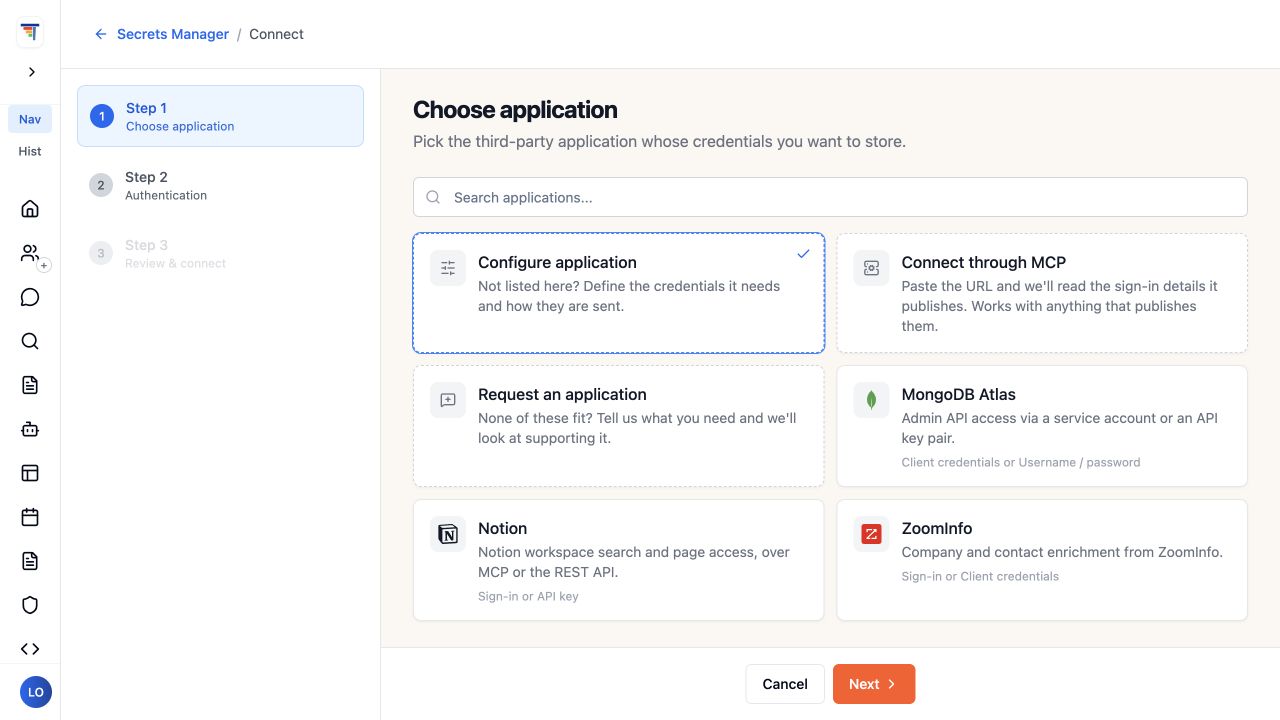
Choose a connection route in the actual application picker.
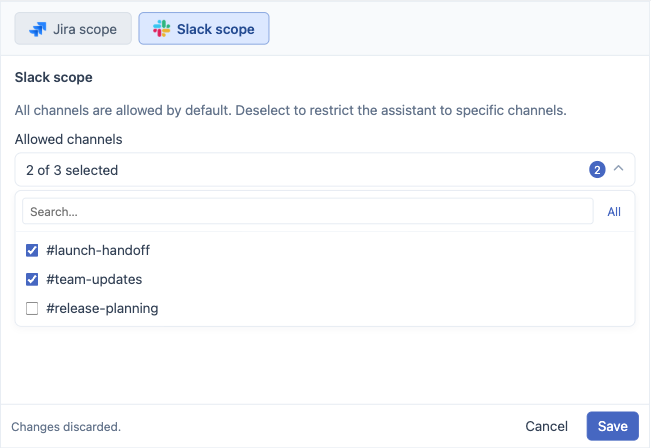
Choose the channels or projects that belong in the task.
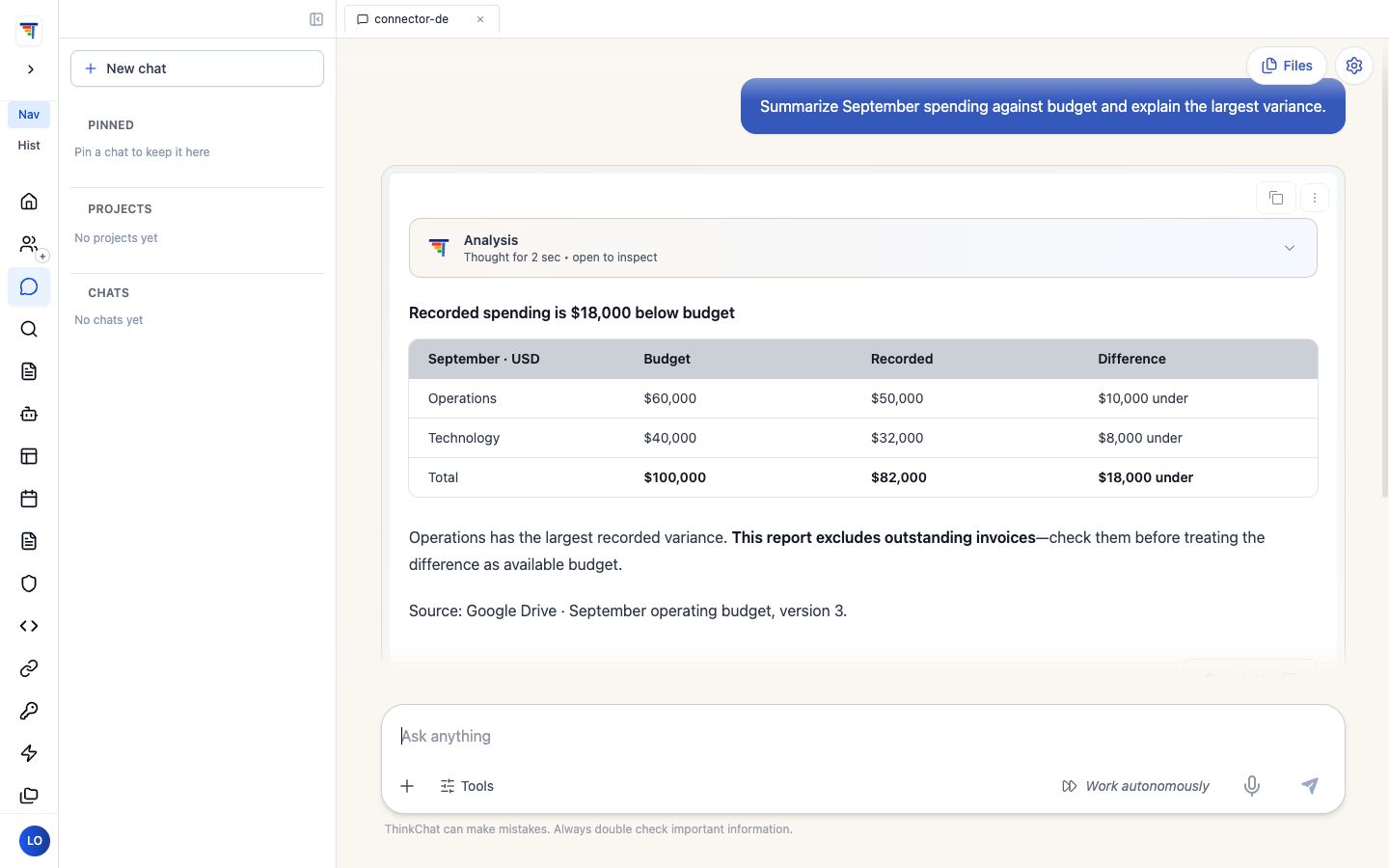
Read the answer and its source reference before acting.
Configure supported authentication for a native route, a compatible MCP server, or your own system — OAuth client credentials, API key, or Basic auth. Explore setup →
Use the app’s supported controls to focus context before you ask — in the finance example, the trace shows exactly which read scopes were applied to that call.
Inspect the response, check its source references, and decide what to do next.
Common questions about Enterprise Connectors.